CoreAI · Mar 2024 — Present
AI Toolkit for VS Code
“Making AI agent development fast and delightful”
Problem Statement
AI development is fragmented and slow
Building production AI agents requires juggling multiple tools, platforms, and workflows. Developers waste hours context-switching between model providers, testing environments, and deployment pipelines.
Model Discovery
Finding the right model means navigating dozens of separate provider portals, comparing specs across different formats, and manually testing each candidate.
Tool Fragmentation
Developers context-switch between web UIs for prompting, separate IDEs for coding, terminal tools for deployment, and standalone dashboards for evaluation.
Agent Debugging
Multi-step agent workflows are opaque black boxes. When an agent fails, there's no way to set breakpoints, inspect intermediate states, or trace the execution flow.
Deploy Friction
Moving from a working prototype to production requires manual configuration of infrastructure, separate CI/CD pipelines, and deep cloud platform expertise.
User Personas
The AI Application Developer
A full-stack developer integrating AI capabilities into production applications. Comfortable with code but needs to iterate quickly on prompts, evaluate model quality, and ship reliable agents.
- Test models from multiple providers in one place
- Build and debug agents without leaving VS Code
- Deploy to cloud with minimal configuration
The ML Engineer
Specializes in model optimization and fine-tuning. Needs tools to customize open models for domain-specific tasks and benchmark performance across hardware targets (CPU, GPU, NPU).
- Fine-tune models with QLoRA on local GPU or cloud
- Convert and quantize models for edge deployment
- Profile inference performance across execution providers
The Citizen Developer
A product manager, designer, or domain expert who wants to prototype AI-powered features without writing code. Needs visual, low-barrier tools to validate ideas quickly.
- Create prompt-based agents with a no-code builder
- Iterate on prompts using natural language feedback
- Export production-ready code for handoff to engineering
User Journey
From idea to deployed AI agent
Discover
Browse the Model Catalog to find models from 9+ providers. Compare capabilities, pricing, and latency side-by-side.
Pain point: Visiting each provider portal separately
Prototype
Test models in the Playground with multi-modal inputs. Use Agent Builder to craft prompts and wire up MCP tools.
Pain point: No unified place to iterate on prompts + tools
Build & Debug
Write agent code with full IntelliSense. Press F5 to launch Agent Inspector with breakpoints and workflow visualization.
Pain point: Agent workflows are opaque and hard to debug
Evaluate & Deploy
Run bulk evaluations with built-in metrics. One-click deploy to Microsoft Foundry with tracing enabled.
Pain point: Separate toolchains for testing vs. deployment
User Stories
As an AI application developer
I want to compare models from OpenAI, Anthropic, and open-source providers in a single interface
So that I can choose the best model for my use case without switching between provider portals.
As a product manager
I want to build and test a prompt-based agent using a visual no-code builder
So that I can validate an AI feature idea before committing engineering resources.
As an ML engineer
I want to fine-tune an open model on my domain-specific dataset with QLoRA
So that I can improve accuracy for my enterprise's specialized vocabulary and workflows.
As a platform engineer
I want to debug multi-agent workflows with breakpoints and execution tracing
So that I can identify where agents fail and fix issues before they reach production.
As a Windows developer
I want to convert and optimize models for NPU acceleration on Copilot+ PCs
So that I can deliver fast, offline AI experiences without cloud dependency.
Features
Model Catalog
Unified model discovery across Microsoft Foundry, GitHub, Hugging Face, ONNX, Ollama, OpenAI, Anthropic, Google, and NVIDIA NIM. Side-by-side comparison and one-click playground access.
9+ integrated model providers
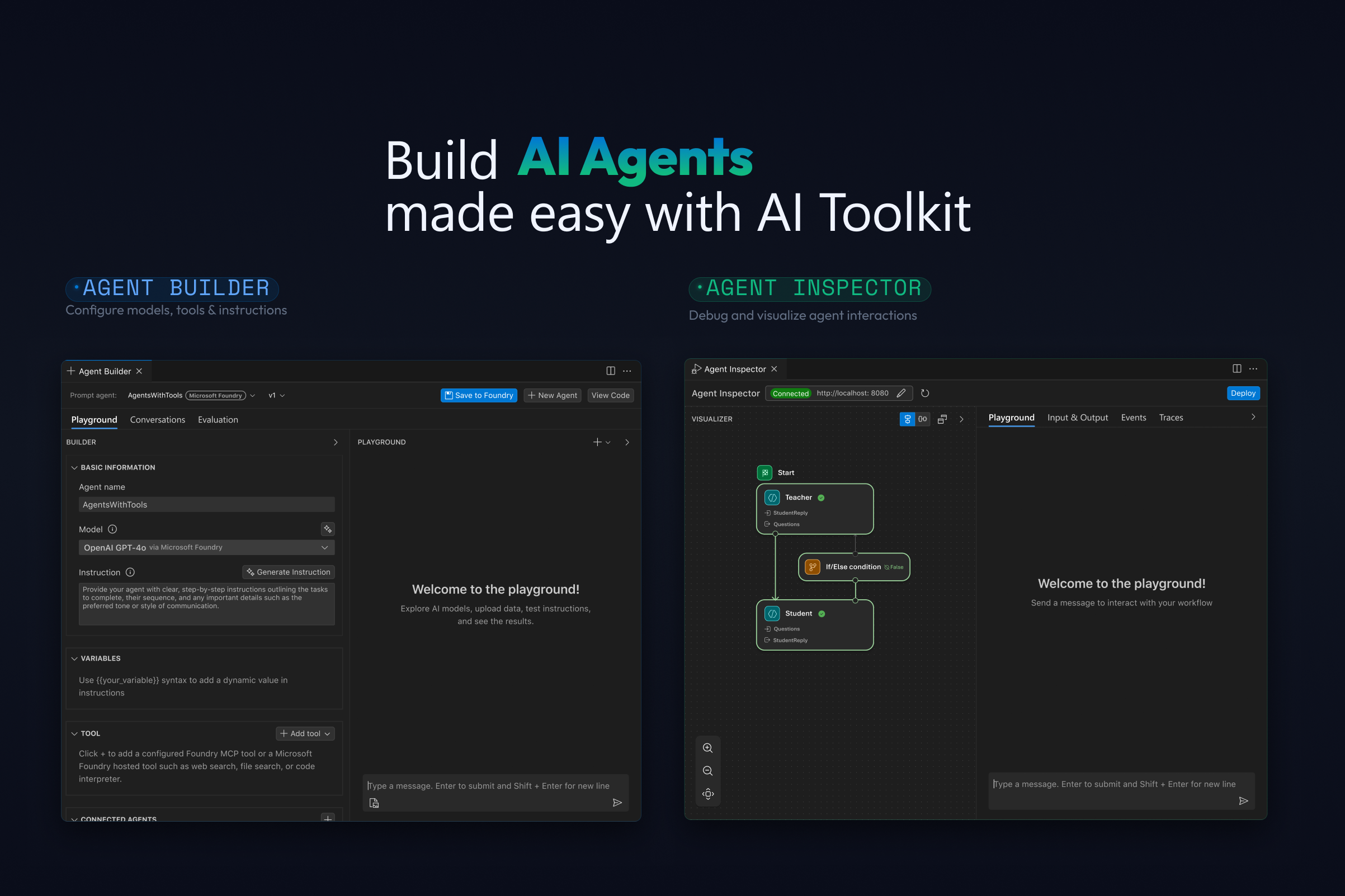
Agent Builder
No-code visual interface for creating prompt agents. Natural language prompt engineering with "Inspire Me" generation, MCP tool integration, and structured output support.
Zero-to-agent in minutes
Agent Inspector
Full F5 debugging for AI agents with breakpoints, real-time streaming visualization, multi-agent workflow graphs, and one-click code navigation.
First-class debugger integration
Model Evaluation
Batch evaluation with built-in metrics (F1, relevance, similarity, coherence) and custom evaluators. "Evaluation as Tests" for CI-style quality gates.
Quantified model quality
Fine-Tuning
Customize models with QLoRA on local GPU or cloud via Azure Container Apps. Supports Phi, Llama, Mistral, DeepSeek, and NPU-optimized variants for Copilot+ PCs.
Local GPU + cloud training
One-Click Deploy
Deploy agents directly to Microsoft Foundry from VS Code. Built-in tracing and profiling for production monitoring across CPU, GPU, and NPU.
VS Code to production in one click
Technical Architecture
Cross-Platform Reach
Runs on Windows, macOS, and Linux via VS Code. Local inference supports CPU, GPU (CUDA), and NPU hardware acceleration for Copilot+ PCs, enabling offline AI scenarios.
Provider Agnostic
Single interface abstracts 9+ model providers. Developers can swap between cloud and local models without changing their agent code, reducing vendor lock-in.
Full Lifecycle Coverage
From model discovery through fine-tuning, evaluation, debugging, and cloud deployment — the entire AI development lifecycle lives inside the editor developers already use.
Related projects
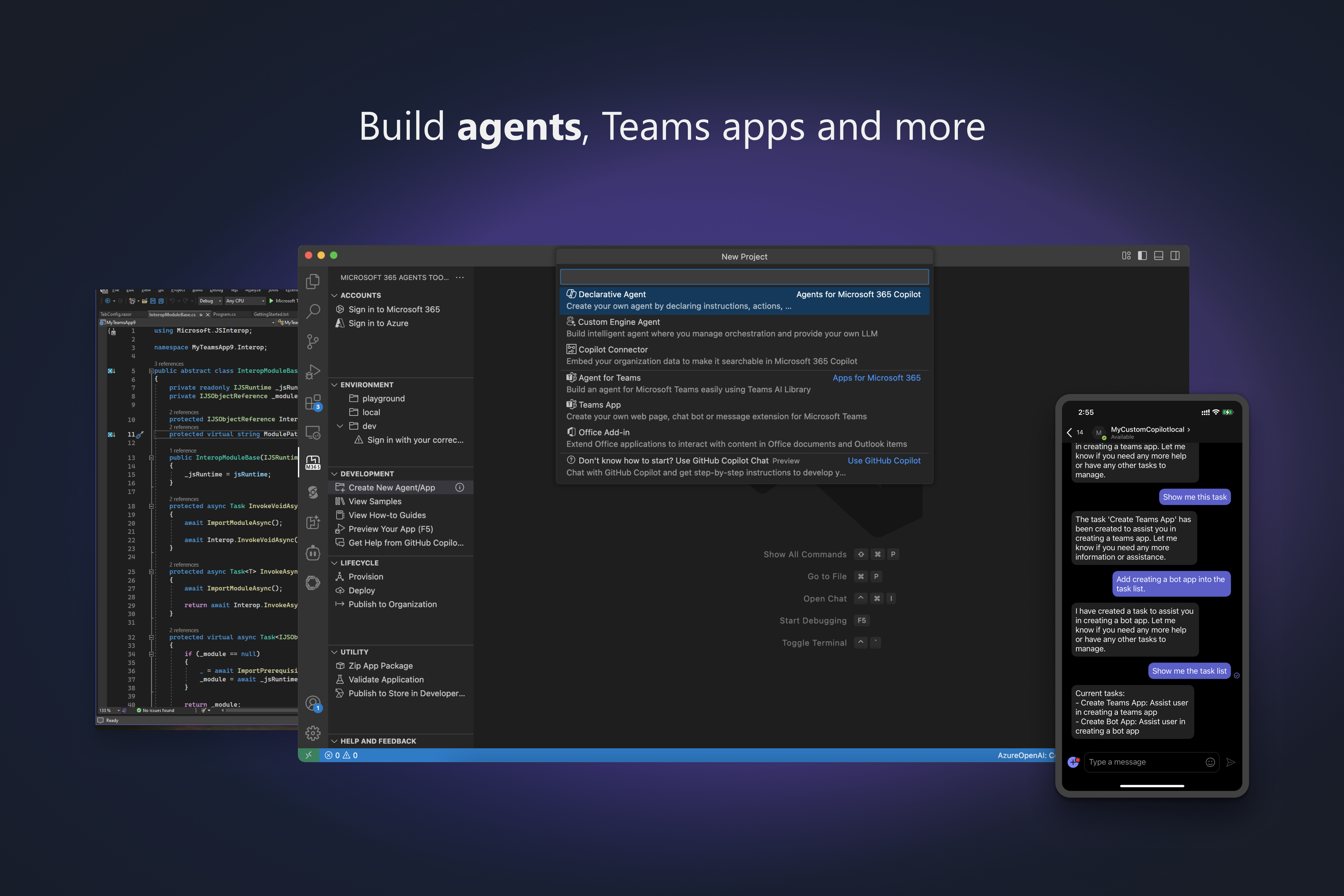
Microsoft 365 Agents Toolkit
Enterprise developers building for Microsoft 365 faced fragmented SDKs, complex auth configuration, and manual cloud provisioning for every new project. The Agents Toolkit streamlined the entire lifecycle — scaffold, debug, deploy, and publish — serving 20K+ monthly active developers across Teams, Copilot, and Outlook.
Read case study