Cloud & AI · Sep 2020 — Mar 2024
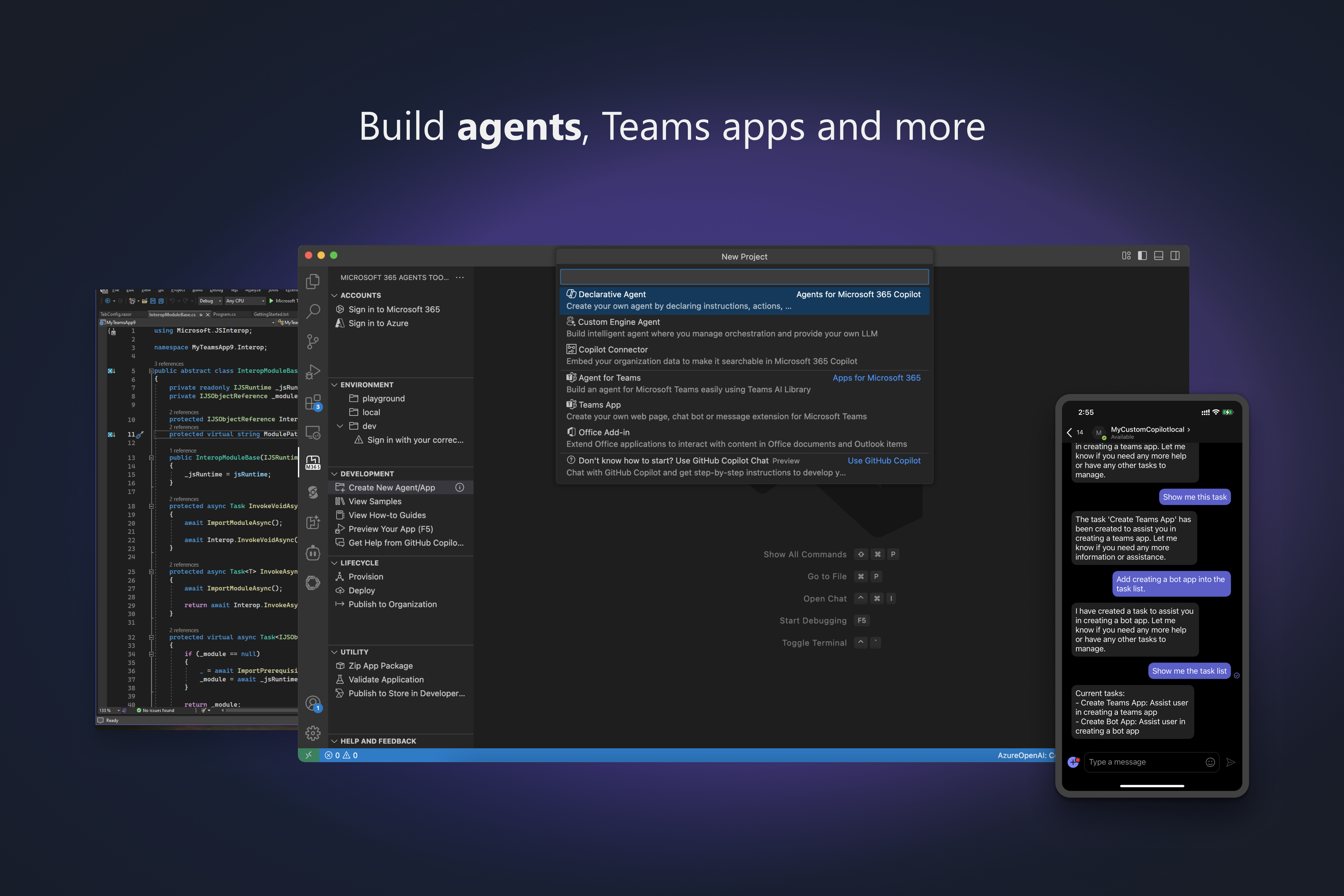
Microsoft 365 Agents Toolkit
“The pro-code toolset for building AI agents across Microsoft 365”
Problem Statement
Building for M365 requires too much glue
Professional developers building agents and apps for the Microsoft 365 ecosystem face a fragmented landscape of SDKs, auth configurations, cloud provisioning, and multi-surface deployment targets.
Auth Complexity
Configuring Microsoft Entra ID for SSO across Teams, Outlook, and Copilot requires deep identity expertise. A single misconfiguration blocks the entire app.
Surface Sprawl
Agents must work across Copilot, Teams, Outlook, Office Add-ins, and external channels. Each surface has different manifest formats, APIs, and testing requirements.
Cloud Provisioning
Deploying an agent requires creating Azure Bot Service, Functions, storage accounts, and app registrations — manual steps that differ between dev, staging, and production.
Boilerplate Overhead
Every new project starts from scratch: wiring SDKs, configuring manifests, setting up CI/CD pipelines, and implementing error handling patterns that are the same every time.
User Personas
The Enterprise App Developer
A professional developer building line-of-business agents and apps that integrate with Microsoft 365. Works in TypeScript or C#, needs full source control and CI/CD integration, and ships to enterprise tenants.
- Scaffold a new agent project in minutes, not days
- Debug locally with hot reload and secure tunneling
- Deploy to Azure with automated resource provisioning
The AI Agent Builder
A developer creating declarative or custom engine agents for Microsoft 365 Copilot. Needs to define agent instructions, connect knowledge sources, wire up MCP tools, and publish to users.
- Build Copilot declarative agents with custom actions
- Integrate MCP servers as agent tool sources
- Share agents with specific users or the entire tenant
The Platform Engineer
Responsible for CI/CD pipelines, environment management, and governance for M365 agent deployments across dev, staging, and production. Needs CLI tooling and pipeline templates.
- Automate deployments with GitHub Actions or Azure DevOps
- Manage environment-specific configurations at scale
- Support government cloud (GCC-M) requirements
User Journey
From idea to published agent
Scaffold
Choose from 40+ templates across JS, TS, Python, or C#. The toolkit generates project structure, manifest, auth config, and SDK wiring.
Pain point: Days of boilerplate setup for every new project
Build & Debug
Develop locally with hot reload, secure tunneling for bot endpoints, and the Agents Playground for interactive testing without deploying.
Pain point: No way to test bots locally without deploying
Provision & Deploy
One-click Azure resource provisioning creates Bot Service, Functions, and storage. Deploy to cloud with environment-specific configs.
Pain point: Manual Azure portal work for each environment
Publish & Share
Publish to Teams app store or share declarative agents with specific users. Generate CI/CD pipelines for automated releases.
Pain point: Complex store submission and tenant distribution
User Stories
As an enterprise app developer
I want to scaffold a Teams bot with SSO authentication in a single command
So that I can focus on business logic instead of spending days on auth configuration and boilerplate.
As an AI agent builder
I want to create a declarative agent for Microsoft 365 Copilot that connects to my company's APIs via MCP
So that employees can ask Copilot questions that are answered using our proprietary data and services.
As a platform engineer
I want to generate GitHub Actions pipelines for multi-environment agent deployments
So that our team can ship agent updates through a governed, automated release process.
As a Python developer
I want to build a custom engine agent with my own LLM orchestration using Azure OpenAI
So that I can deliver an AI-powered assistant in Teams without being limited to declarative prompts.
As a government contractor
I want to deploy agents to a GCC-M tenant with compliant Azure resources
So that my agency can use AI agents while meeting federal security and compliance requirements.
Features
40+ Project Templates
Declarative agents, custom engine agents, Teams bots, tabs, message extensions, Office Add-ins, and Copilot connectors — in TypeScript, JavaScript, Python, and C#.
4 languages × 10+ scenarios
MCP Server Integration
Connect Model Context Protocol servers to declarative agents as tool sources. Agents can call external APIs, databases, and services through a standardized tool interface.
GA since v6.6.0
Agents Playground
Local testing environment for interactive bot debugging with hot reload and secure tunneling. Test agents without deploying to Azure or sideloading into Teams.
Zero-deploy local testing
Azure Provisioning
One-click creation of Azure Bot Service, Functions, storage accounts, and app registrations. Environment-specific configurations for dev, staging, and production.
IDE to cloud in one click
Simplified SSO Auth
Zero-config Microsoft Entra ID integration for single sign-on across Teams, Outlook, and Copilot. Handles token exchange, consent flows, and multi-tenant scenarios.
Auth setup reduced from days to minutes
CI/CD Pipelines
Generate GitHub Actions and Azure DevOps pipeline templates for automated builds, tests, and deployments. CLI (atk) enables headless execution for pipeline scripts.
GitHub Actions + Azure DevOps
Technical Architecture
Multi-Surface Reach
A single agent can be published to Microsoft 365 Copilot, Teams, Outlook, Office Add-ins, and external channels like web, email, and SMS — all from one codebase and unified manifest.
Pro-Code Positioning
Fills the gap between no-code (Agent Builder) and low-code (Copilot Studio) by giving professional developers full IDE integration, source control, and CI/CD — the only Microsoft tool to do so for M365 agents.
5-Year Evolution
Born as Teams Toolkit in 2021, rebranded at Build 2025 to reflect its expanded scope. The monorepo architecture (fx-core shared across VS Code, Visual Studio, and CLI) enables consistent behavior across all developer surfaces.
Related projects
AI Toolkit for VS Code
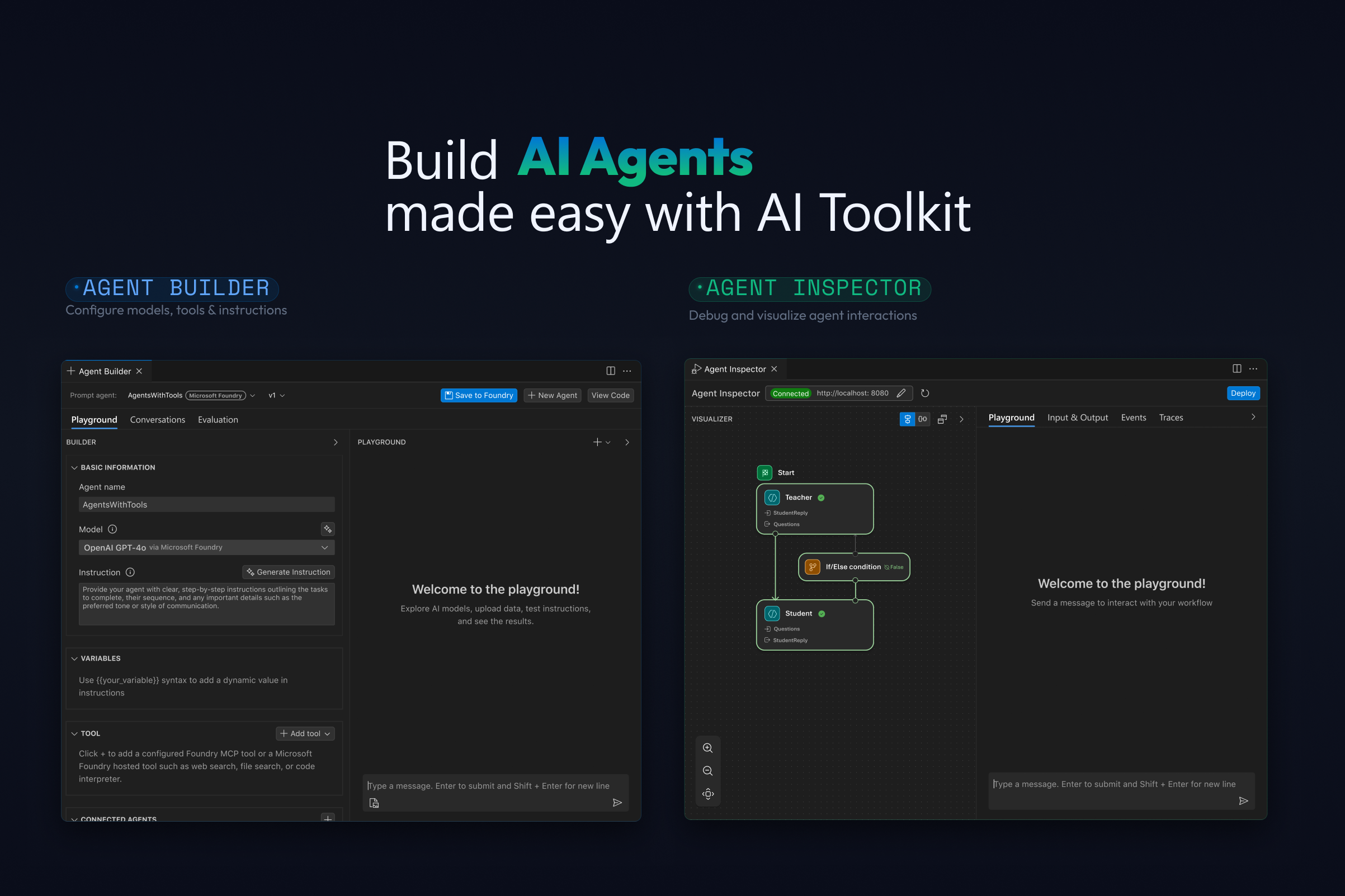
AI developers were forced to context-switch between dozens of model provider portals, separate testing tools, and manual deployment pipelines. AI Toolkit unified the entire workflow — discover, build, evaluate, and deploy — inside VS Code, reaching 1M+ installs and becoming the go-to extension for AI agent development.
Read case study